
There is nothing quite as frustrating as hitting 'send' on a Bitcoin transaction, only to watch it sit in a state of limbo for hours-or even days. You check your wallet, and it still says "Pending." You check a block explorer, and there it is: stuck in the Bitcoin mempool. It feels like your money has vanished into a digital void, but the reality is simpler. You likely set your transaction fee too low, and miners are simply ignoring your request in favor of higher-paying ones.
To get your funds moving again, you need to understand that the Mempool is a temporary holding area where unconfirmed transactions wait to be picked up by miners and recorded on the blockchain. If the network is crowded, miners act like a high-end restaurant with a long waiting list; if you didn't "reserve" your spot with a high enough fee, you stay in the lobby. The good news is that you aren't powerless. Depending on your wallet and your role in the transaction, you can either push the transaction through or cancel it entirely.
The Quick Fix: Key Strategies to Clear Your Transaction
Depending on whether you are the sender or the receiver, your options change. Here is the high-level breakdown of how to handle a stuck transaction:
- Replace-by-Fee (RBF): The fastest way for senders to increase the fee of a pending transaction.
- Child Pays for Parent (CPFP): The primary method for receivers to "pull" a stuck transaction through.
- Mempool Expiration: The "do nothing" approach, waiting for the network to forget the transaction.
- Transaction Accelerators: Third-party services that nudge miners to prioritize your TXID.
Using Replace-by-Fee (RBF) to Bump Your Transaction
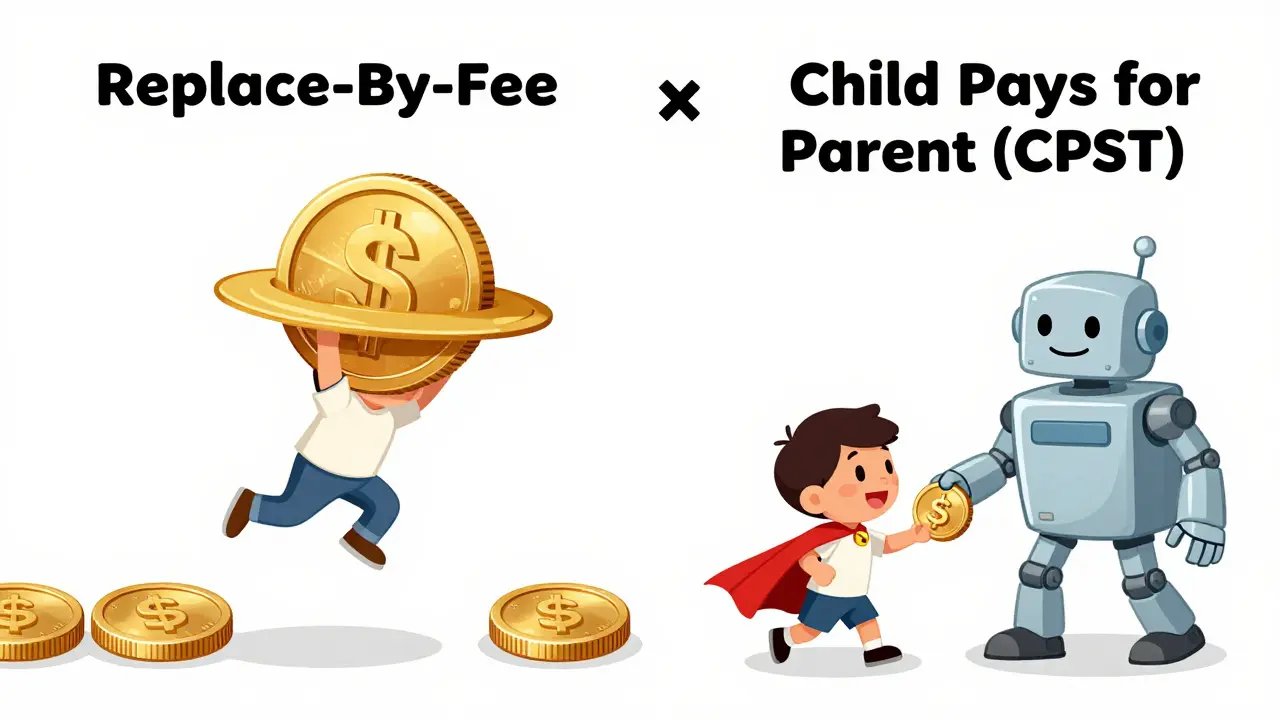
If you are the sender and your wallet supports it, Replace-by-Fee is your best friend. RBF is a feature that allows a user to replace a pending transaction with a new version that has a higher fee, using the same inputs. Because miners always prioritize the highest fee per byte, they will drop your old, cheap transaction and pick up the new, expensive one.
For example, if you're using the Electrum wallet, you can simply right-click your unconfirmed transaction and select "Replace with higher fee." You'll need to set a fee rate that is comfortably above the current network average. If you aren't sure what that is, check a tool like Mempool.space to see the current "bottleneck" price. Usually, adding a few extra satoshis per byte can get a transaction confirmed within 10 to 30 minutes.
One pro tip: RBF can also be used to cancel a transaction. In some wallets, you can create a replacement transaction that sends the funds back to your own address instead of the original recipient. As long as the new fee is higher, the network will process the "return to sender" version and ignore the original payment.
The Receiver's Solution: Child Pays for Parent (CPFP)
What happens if you're the one waiting for the money and the sender is either clueless or refuses to increase the fee? This is where Child Pays for Parent (CPFP) comes in. Unlike RBF, which changes the original transaction, CPFP creates a new "child" transaction that spends the output of the stuck "parent" transaction.
Think of it as a bribe. You create a second transaction with a massive fee. For a miner to collect that big fee from the child, they must first confirm the parent transaction. Essentially, the child transaction "pays" for the parent to be cleared. This is a powerful tool for recipients because it gives them control over the timing without needing the sender's cooperation.
| Method | Who can do it? | How it works | Requirement |
|---|---|---|---|
| RBF | Sender | Replaces old TX with higher fee | RBF-enabled wallet |
| CPFP | Receiver | Creates high-fee child TX | Available balance to pay fee |
| Expiration | Anyone | Wait for node to drop TX | Patience (up to 14 days) |
| Accelerators | Anyone | Direct mining pool requests | Third-party fee |
When to Just Wait: Mempool Expiration
Not every stuck transaction needs an emergency fix. If you aren't in a rush, you can simply wait for the transaction to expire. Bitcoin nodes aren't permanent archives of pending work; they have limited memory. Most nodes will automatically drop a transaction if it remains unconfirmed for about 72 hours, though some might hold onto it for up to 14 days.
Once the transaction is dropped from the majority of the Bitcoin Network, the funds are effectively "unlocked" and returned to your UTXO (Unspent Transaction Output) set. You can then send the transaction again with a proper fee. This is the safest method if you don't have the extra Bitcoin balance to pay for an RBF or CPFP bump.

Using Third-Party Transaction Accelerators
If you're in a high-stakes situation and RBF isn't an option, you might look into transaction accelerators. These are services that maintain direct relationships with large mining pools. You provide your transaction ID (TXID), pay the service a fee, and they essentially "whisper" to the miners to include your transaction in the next block.
Be careful here. Because you are dealing with third parties, reliability varies. Some guarantee a timeframe, while others just offer "best effort." Always verify the legitimacy of the service before sending any funds. In 2025 and 2026, we've seen more refined tools, but the core mechanism remains a manual nudge to the miners.
Preventing Future Stuck Transactions
The best way to deal with a stuck transaction is to never have one. Network congestion is cyclical-it spikes during market rallies or major institutional shifts. During these peaks, fees can jump 500% or more in a matter of hours.
- Check the Mempool First: Before sending, visit Mempool.space. If the "minimum fee" is 20 sat/vb and you're sending at 1 sat/vb, your transaction will likely get stuck.
- Enable RBF by Default: Use wallets like Electrum or Exodus that allow you to toggle RBF. This gives you a "safety valve" if you underestimate the fee.
- Use Layer 2 Solutions: For small, frequent payments, the Lightning Network is the answer. By moving transactions off-chain, you avoid the mempool entirely and get instant settlement.
How long does a transaction stay in the mempool?
Most Bitcoin nodes drop unconfirmed transactions after about 72 hours. However, some nodes may keep them for up to 14 days. If your transaction hasn't cleared in 3 days, it's likely the fee was too low for current network conditions.
Does using RBF cost more money?
Yes. RBF requires you to increase the fee of the transaction. You are essentially paying more to the miner to jump the queue. You will need enough Bitcoin in your wallet to cover this additional cost.
Can I use CPFP if I am the sender?
Technically, yes, but it's usually used by the receiver. As a sender, you would be creating a "child" transaction that spends the funds you just sent. This means you'd need to have control over the receiving address (like a second wallet you own) to initiate the CPFP process.
What is the safest way to cancel a stuck transaction?
The safest way is to wait for the mempool expiration (usually 72 hours), which naturally returns the funds to your wallet. If you are in a hurry, using an RBF-enabled wallet to send the funds back to yourself with a higher fee is the most effective active method.
Why did my transaction get stuck if I paid a "medium" fee?
Bitcoin fees are dynamic. A "medium" fee at 10:00 AM might become a "low" fee by 10:15 AM if a sudden burst of network activity occurs. If the mempool fills up quickly, miners will immediately start ignoring lower-fee transactions regardless of what your wallet labeled them as.

13 Comments
Michael Harms
April 21, 2026 AT 02:05 AMReally great breakdown of how this works! It can be super scary for beginners when their funds just disappear, so having a guide like this is awesome for the community.
Joshua Salwen
April 22, 2026 AT 03:25 AMOMG I literally ALMOST lost my mind last month because of this!!! I tried to send some BTC and it just SAT THERE. I was convinced I'd been hacked or the network crashed completely. Totaly nightmare!! I didnt even know RBF existed and I almost cried when I saw the fees spiking while my tx was just chilling in the lobby like some kind of joke. Absolutely RIDICULOUS how stressful this is for normal people who just want to move their money!!
Adedamola Oyebo
April 23, 2026 AT 16:19 PMMempool.space is the gold standard for monitoring fees!!! Always check it first!!!
John and Lauren Busch
April 24, 2026 AT 03:36 AMImagine paying a bribe to a miner just to get your own money. Peak efficiency right here.
Kim Smith
April 25, 2026 AT 23:06 PMIt is kinda wild when you think about the philosophy of it all, like we are basically trusting this decentralized swarm of computers to agree on the state of our wealth, and yet here we are dealin with these little bottlenecks that feel like old school postal mail delays but in a digital age where everything is supposed to be instataneous... i guess it just reminds us that there is always a cost to security and decentralization, even if that cost is just waitin a few days for a node to forget your mistake or payin a bit more to jump the line in this strange new financial ecosystem we've built.
Shannon Kelly Smith
April 27, 2026 AT 10:06 AMCPFP is a total lifesaver for receivers! 🚀 Just make sure you have enough satoshis to actually cover that child transaction fee or you're just adding another stuck TX to the pile! 💎🙌
Michelle Stanish
April 28, 2026 AT 20:50 PMI think RBF is overrated. Just wait.
Jeff Barlett
April 30, 2026 AT 20:42 PMWait? Some people actually can't afford to just "wait" for three days when they're paying a bill. The logic that waiting is the best way is just lazy and doesn't apply to real-world urgency.
Gillian Kent
May 2, 2026 AT 03:58 AMi tried to do the RBF thing once and i think i messed up the addres. it was so confuseing at first but i eventualy got it to work after a few hours of panickin
Kaitlyn Wu
May 3, 2026 AT 09:00 AMIf you are using a custodial wallet, don't expect these tools to work. You are at the mercy of the exchange's fee settings, which are usually optimized for their profit, not your speed.
Mark Pfeifer
May 3, 2026 AT 09:45 AMDoes the expiration time vary significantly between different node software implementations, or is the 72-hour mark a general consensus across the network?
nikki krinkin
May 4, 2026 AT 14:15 PMIt's honestly such a relief to know the money isn't actually gone. The anxiety of a pending transaction is the worst part of the experience.
Evan Iacoboni
May 5, 2026 AT 16:17 PMThe section on accelerators is too vague. Which services are actually legit in 2025? Giving a TXID to a third party sounds like a recipe for getting scammed if the service isn't reputable.